
If you’re curious about ChatGPT.Edu but haven’t quite figured out how it fits into your teaching, you’re not alone. AI suggestions for course materials can fall flat when using a generic AI, but you may be surprised by what you find when you use a customized GPT designed by instructors for instructors.
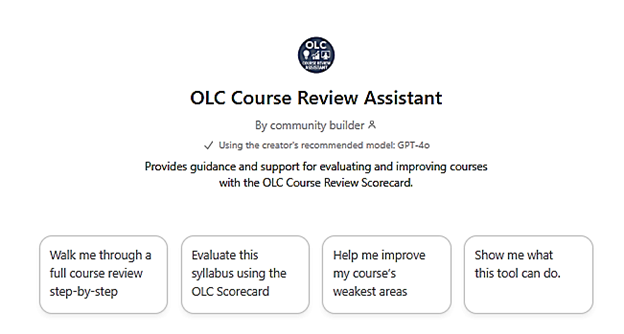
The Online Learning Consortium (OLC) Course Review Assistant GPT is a first-of-its-kind chatbot trained on education research in instructional design and online and hybrid learning and tuned to OLC’s evidence-based scorecards to improve course quality.
A Strong First Use Case: Refining What You Already Have
Instead of tackling a full course review, start with something familiar: assignment instructions.
Try using the OLC Course Review Assistant in ChatGPT.Edu to:
- Clarify assignment instructions in student-friendly language
- Ensure that assignments are designed to measure your course learning outcomes
- Break down assignments into step-by-step checklists or guides
- Create rubrics for grading assignments based on your instructions and outcomes
Example prompt:
“My course learning outcomes are [PASTE FROM SYLLABUS]. First evaluate how well my assessments align to the course learning objectives. Then, offer any suggestions for improving the assignment instructions below. Flag any areas in the instructions that might confuse students.” [Copy and Paste or Upload Your Current Assignment]
Review the suggestions for clarifying your instructions. If they help, keep them. If they don’t, you’ve learned something without risk.
Based on its training in instructional design, the OLC Course Review Assistant will ask you follow up questions that may give you new ideas for supporting your students’ learning with assignment examples, guides, rubrics, and other clarifying features.
Getting Started with the OLC Course Review Assistant GPT
USC Upstate is an OLC member. To get started claim your account by going to the OLC homepage, then click on “Create an Account.” Please use your institutional email address as your username as this will link you to our institutional membership.
Once your account is active, you may explore the OLC site, or go directly to the OLC Course Review GPT through your USC Upstate ChatGPT.Edu account. Go to ChatGPT (also available in the SpartanHub), then login by entering your USC Upstate email address in the email box to use single sign on.
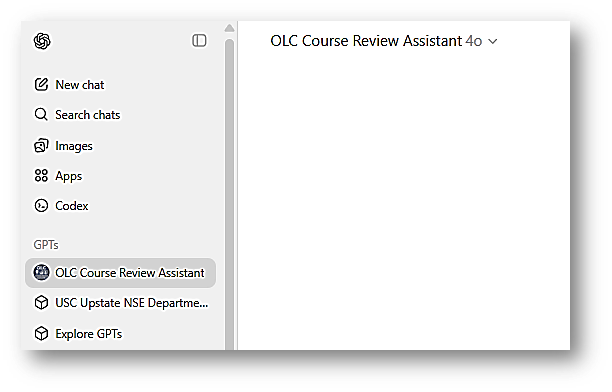
In the upper-left of your screen, you’ll see the OLC Course Review Assistant GPT button. Click it and begin interacting with the bot.
Final Thought
You don’t need to redesign your whole course to begin using AI thoughtfully to improve student learning outcomes. One low-stakes, repeatable use of a context-specific GPT can be enough to help you move from curiosity to confidence.
