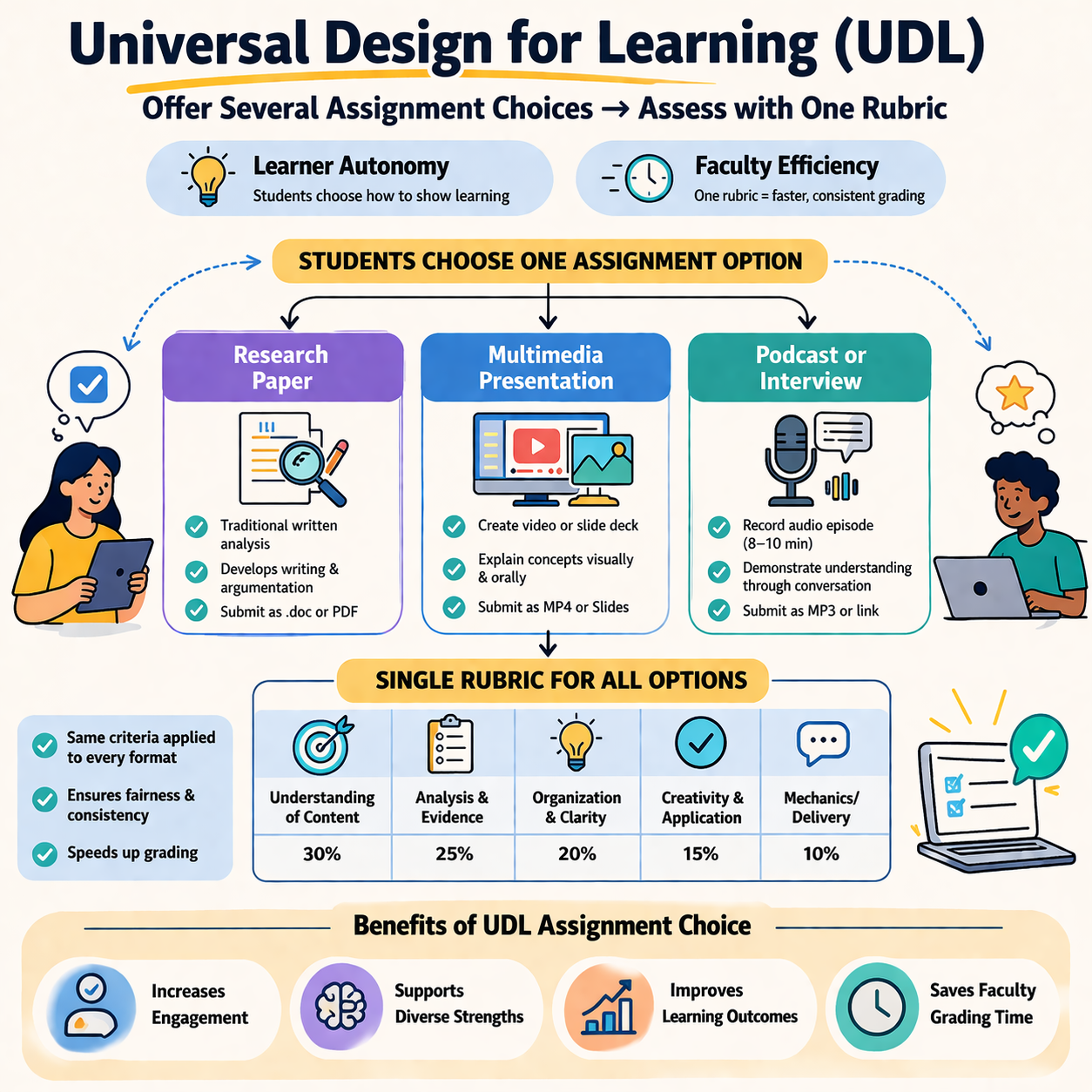
Over the past several years, USC Upstate faculty have worked diligently to revise and update course materials and are well prepared to meet the April 2026 WCAG compliance deadline. These efforts have resulted in more accessible PDFs, PowerPoint presentations, documents, images, and videos, expanding access to barrier-free course content to a wider range of students. As we build on this important technical foundation, we also have opportunities to think more broadly about accessibility in course design, including how emerging practices like Role, Context, and Task Prompt Engineering can expand the adoption of more Universal Design for Learning practices.
Continue reading “Using AI to Expand Universal Design for Learning”
AI Resilient Learning is All Around Us
Thinking aloud is a simple yet powerful cognitive tool that anyone can use. When students verbalize their thinking process, they slow down, clarify their understanding or misunderstanding, and make their implicit knowledge explicit. They’re not just giving an answer; they are explaining the how and the why of the answer.
Continue reading “AI Resilient Learning is All Around Us”
AI Spark Tips: Increasing Accessibility with AI
As all public US higher education institutions embrace our digital accessibility upgrade, GenAI tools can help instructors tackle some of the most challenging images and documents.
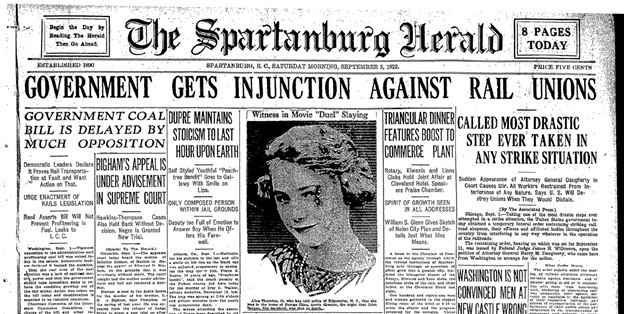
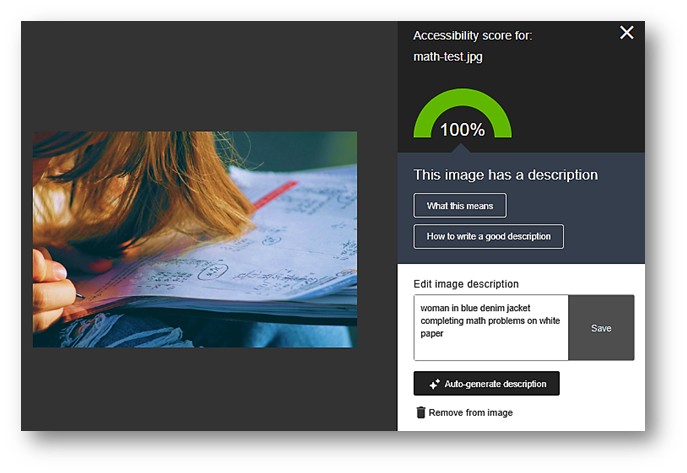
GenAI accessibility checking is already embedded in Microsoft Word, PowerPoint, and the Blackboard Learning Management System (LMS) to help detect common issues and generate alternative text for images. But those tools are less successful at converting screenshots of complex tables or flyers with extensive text. None of the built-in features will automatically boost the contrast in your images when words appear in a colorful design without enough distinction between background and text colors.
Enter ChatGPT.
Users can tap into ChatGPT’s robust image recognition capabilities to extract text from images, scanned PDFs, and even screenshots of blurred edges of old photocopies. Then, that text can be pasted directly into your course as a long description for a complex image. AI-recognized text can also be used to edit garbled or missing text in a PDF.
To use ChatGPT as a high-powered Optical Character Recognition (OCR) tool, here’s your starter prompt:
- “Please OCR this image, correcting for spelling and formatting while maintaining the original text” [necessary to avoid AI-initiated editing or summarizing].
- Upload or copy and paste a screenshot of your image or of the problematic section of your PDF document. Text sections work best for multi-column documents.
- Then, provide additional instructions if you want the content formatted as a table, as MathJax code, or another specialized format.
The image contrast issue is a bit more complex. ChatGPT does not measure and adjust colors scientifically; it provides you with the most probable image that fits your description. This strategy works best with medium-complexity images where simpler tactics fail. Complex images may be addressed by providing long descriptions or finding an alternative image with a better balance of image, color, and text.

To use ChatGPT to make images meet the color contrast standards needed for users with color blindness or other vision needs, here’s your starter prompt:
- “I need to make my images meet the 1:4.5 color contrast ratio of WCAG 2.1AA standards. Please enhance this image to reach that high-contrast standard. Maintain accuracy of all text in the image.”
- Upload or copy and paste a screenshot of your image. High-quality uploads work best.
- Then, provide additional instructions about preferred colorways or areas of the images in particular need of remediation.
- You will likely need to refine your prompt to meet the needs of your particular image.
Bonus Tip
Sometimes the low-tech solution can be the fastest. To edit simple images (fewer colors, less text), try adjusting the color saturation or increasing the contrast, or sharpness in Microsoft Picture Format in Word or PowerPoint or Paint or Photos apps for standalone images. When making new images from screenshots in your browser, enable the high-contrast browser extension before you capture your screen.
AI Spark Tips: Using AI to Improve Image Accessibility
Faculty Spotlight: Dr. Akash Garg, Instructor of Biology
The CAST guidelines for Universal Design for Learning emphasize the importance of offering learners multiple ways to perceive information, including images and visualizations for sighted students and text-based descriptions of that content for students who engage with course materials with screen readers or audio formats.
In courses that make extensive use of images, providing text-based descriptions (called alt text) can be a time-consuming–though rewarding–process.
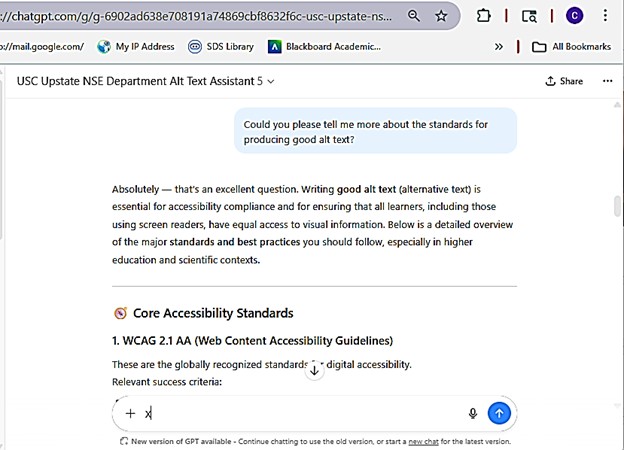
At USC Upstate, Dr. Akash Garg, Instructor of Biology, applied his AI developer skills to tackling the alt text challenge. He has launched the USC Upstate NSE Department Alt Text Assistant. Login with your USC Upstate ChatGPT.Edu account to access.

Inspired by the Arizona State University Image Accessibility Generator, Dr. Garg refined the AI model and added greater flexibility in the user interface to allow instructors working on alt text in their course to cut and paste or drag and drop images and files directly into the AI. He also added options for generating alt text for different purposes–instructional details for images in presentations, but background information without labels for images in quizzes and tests.
By fine-tuning the training materials and usability of the alt text generator, Dr. Garg offers faculty members a streamlined way to increase accessibility and improve learning for all students. The benefits are especially felt among STEM colleagues, where complex figures, models, diagrams, and hand-drawn solutions are an essential part of every course.
Instructors with less advanced alt text needs may find the Ally Alt Text Generator within Blackboard also provides high quality alt text for images within Blackboard pages. As with any AI-generated content, it is important to review and edit the alt text suggestions for accuracy and context.
Bonus Tip:
It’s a good idea to start a new chat with the assistant when you switch topics or courses to avoid having past responses influence the alt text provided for the next topic.
It’s also worth noting that AI Assistant has been trained on the details of current accessibility standards, so you can also ask for general tips for writing alt text.

How Star Wars is Your Course?
In a recent video from Innovative Educators, Tom Tobin gives a short overview of what we can learn from Star Wars about making accessible places where intergalactic beings and droids can easily get around and communicate with each other. He highlights the consistent use of ramps, wide doors, limited or no stairs, and translation devices. Other Star Wars features include personal mobility devices that look like furniture or speeders, droid medical, automotive, and air traffic technicians and AI-assisted companions, sensory-rich and sensory-adjustable environments, fully accessible government, educational, medical, and community spaces, and wearable personal navigation tools. While some of these enduring, universal design features were meant to help us imagine an exciting galactic future, the film team of the franchise’s first movie was comprised of people from across the ability spectrum who used their needs and knowledge to intentionally shape and show a more accessible, usable world where anyone could be a hero.
Continue reading “How Star Wars is Your Course?”
Contract Grading Increases Student Engagement and Reduces Anxiety
Have you ever had a student approach you and ask, “Dr. Reeves, what do I need to do to get an A in your course?” I have. I often suggest reviewing the syllabus and the percentage points associated with each grade category. I suggest reviewing the rubrics, planning ahead for upcoming due dates, and working with a partner to stay motivated and in conversation about course topics. While these are useful suggestions, they don’t necessarily address the quality or quantity of work students must create or give them the autonomy and choice they crave to build the knowledge and skills necessary to take their thinking to the next level. One way to better answer this familiar question and increase student motivation, autonomy, and responsibility (Hiller and Heitapelto, 2001; Strong et al. 2004; Danielewicz and Elbow, 2009; Bonner 2016; Litterio 2018) may be to adopt contract grading. Though many of the contract grading studies have been designed for and implemented in courses with a writing component, the models are easily adapted for other types of courses, as well. If you’re interested in exploring some examples of contract grading, check out the 3 models below.
Continue reading “Contract Grading Increases Student Engagement and Reduces Anxiety”