
When we talk about generative artificial intelligence (GenAI), it can be easy to focus on sensational stories about deepfakes, AI relationships, or humans offloading so much of their work that AIs are just summarizing and evaluating other AI’s reports. The greatest impact of AI isn’t in the splashy story, though. It’s in the small, AI-enabled changes that can free up hours of time that we can redirect to building human relationships.
Microsoft Copilot doesn’t get as much press as ChatGPT, but as a workplace productivity tool, it can make a meaningful dent in your workload. Copilot is built directly into Microsoft 365 tools like Outlook and Word, making it easy to use in everyday tasks.

Many faculty and staff are using Copilot to draft weekly course announcements based on your course schedule, identify action steps from documents or emails, build email templates to automate interactions, and turn bullet points into polished messages they can quickly edit and personalize.
Try Today
Click the Copilot button in any Word document, PowerPoint, Excel file, or Outlook email to access embedded Copilot chat. Then, use preprogrammed prompts or ask your own.
The suggestions do not need to change your voice to streamline your workload. “What are some ways I could improve this document?” can point out suggestions for reordering, eliminating redundancy, and even just formatting for greater clarity.
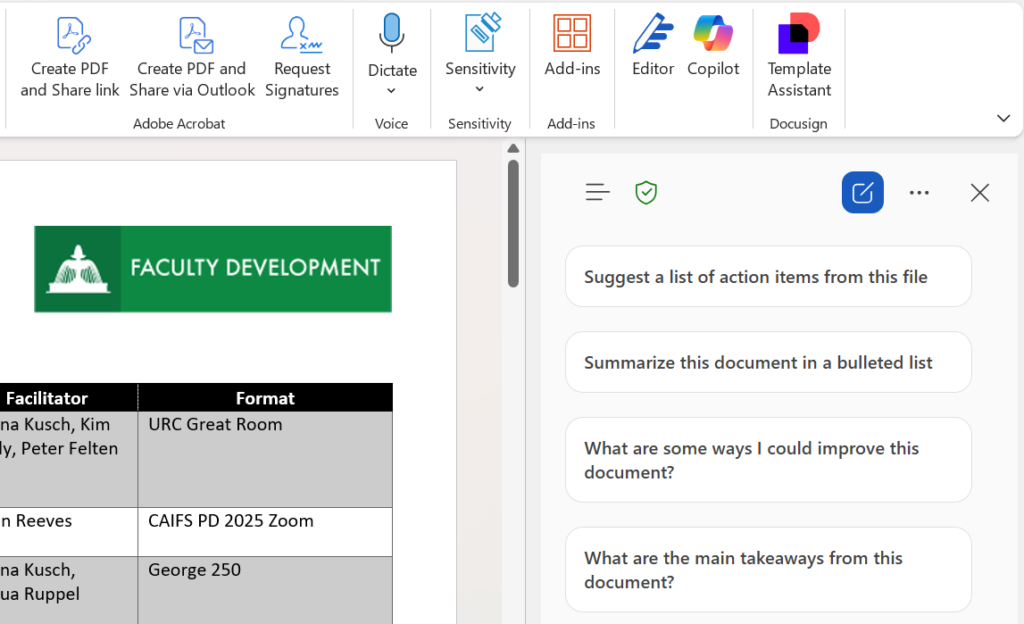
In the calendar document pictured above, I asked Copilot to create an invitation to faculty participants at my university for each item on the calendar. It compiled all the logistical details, which I can cut and paste directly into emails I can pre-schedule in Outlook. I didn’t have to worry about Copilot hallucinating events because this chat is already focused on my Word document. Try out a similar prompt with the Schedule of Assignments in your syllabus.
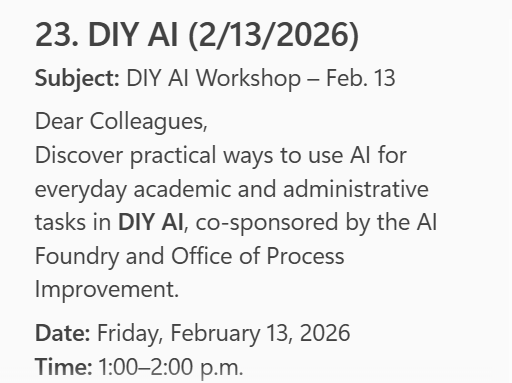
Because it’s embedded in Microsoft tools, Copilot can be more aware of the context of your task and can save you time clicking between windows and applications.
Key Benefit: Accessibility
Working natively within Microsoft applications, Copilot generates more accessible content than materials created in another AI then exported or saved to Microsoft formats.
ChatGPT-generated presentations or Canva templates, for instance, can lose all master slide formatting and even generate language errors or other issues with file properties when exported to PowerPoint. Bringing the exported PowerPoint up to accessibility standards can lose a lot of the time you gained by generating your content.
In contrast, Copilot generates PowerPoints and Word documents with appropriate headings, styles, and themes, so your Accessibility Check does not add time to your workflow.
The Takeaway
AI use doesn’t need to be dramatic to be powerful. Sometimes, reclaiming time is the most meaningful move you can make.