

Thinking aloud is a simple yet powerful cognitive tool that anyone can use. When students verbalize their thinking process, they slow down, clarify their understanding or misunderstanding, and make their implicit knowledge explicit. They’re not just giving an answer; they are explaining the how and the why of the answer. When students share their thinking, they can: 1. Spot flawed connections or incomplete … Continue reading AI Resilient Learning is All Around Us
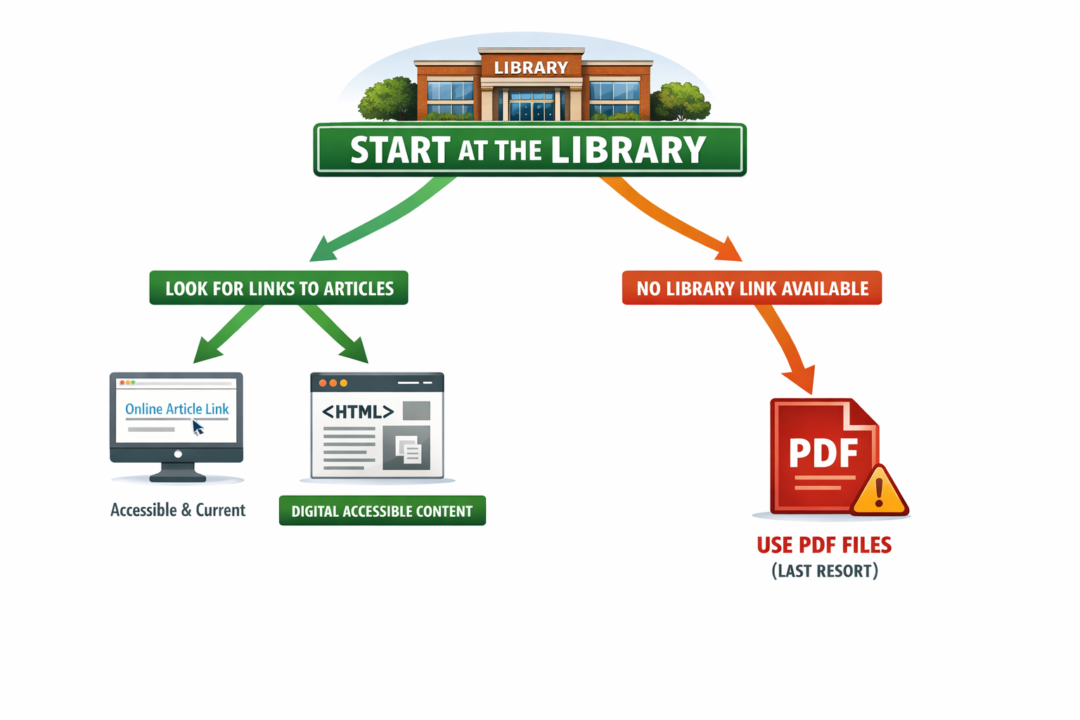
Start at the Library to Achieve Your Course Accessibility Goals
When selecting materials for your courses, where you start can make all the difference. Beginning your search at the library not only saves time, but it also helps ensure students have current, accessible content to supplement your instruction. Start with Library Links Academic libraries are the best place to start looking for course readings. Librarians can help you identify high-quality, current articles, open-access resources, … Continue reading Start at the Library to Achieve Your Course Accessibility Goals

What Students Want
At the start of each semester, CAIFS hosts a very short and optional Blackboard Ultra Quick Start course for incoming students. The goal of the course is to invite students to explore the LMS and try out the discussion board, assignment submission, and Yuja video quiz so they have some level of familiarity and comfort with the learning environment before classes begin. The discussion board prompts students to discuss how comfortable they are … Continue reading What Students Want

5 Practices for Winter Well-Being
And just like that, Fall 2025 is drawing to a close. Over the past semester, you’ve published articles, presented at national and international conferences, completed—or begun—the ACUE Effective Teaching Certification, experimented with GenAI, made your courses more accessible, and shared your ideas and expertise with students and colleagues—all helping to make USC Upstate a more … Continue reading 5 Practices for Winter Well-Being
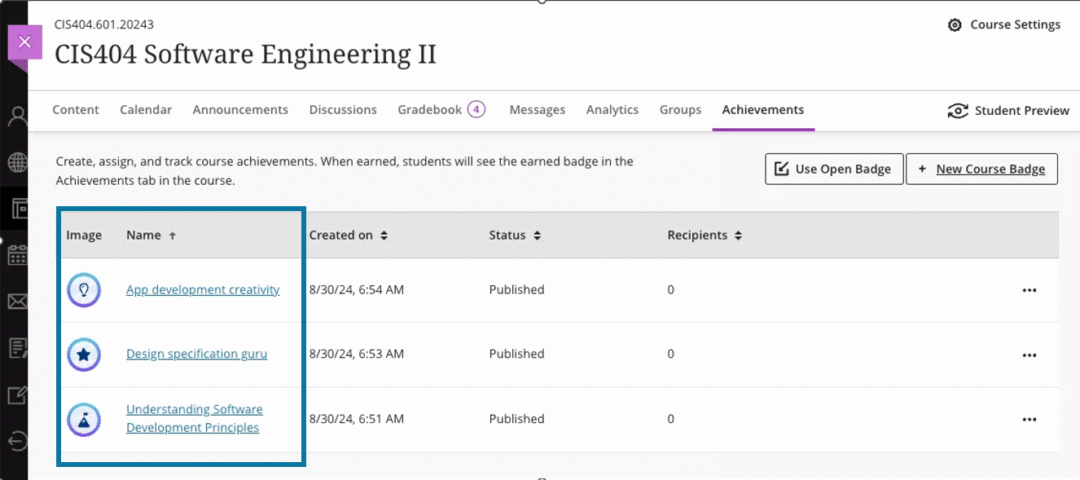
Introducing Achievements in Blackboard Ultra
If you’re looking for a fun, motivating way to boost student engagement, consider using the new Achievements feature in Blackboard Ultra. From the Achievements tab, faculty can create course achievement badges and set criteria for student success. While faculty can review which students have earned a course badge, students can also see the requirements for how to earn a badge and monitor their earned and unearned badges. Monitor Progress Toward Achieving … Continue reading Introducing Achievements in Blackboard Ultra

Detection, Dialogue, and Innovation in Classroom Uses of AI
Despite the relative newness of AI tools for all, surveys conducted by the Digital Education Council, Chegg, and TechTrends found that more than 80% of students have already built AI into their learning lives. According to the survey results, students are using tools like ChatGPT, Grammarly, and CoPilot primarily to search for information, check grammar … Continue reading Detection, Dialogue, and Innovation in Classroom Uses of AI