
Join us January 7, 2026 for our 7th Annual Blackboard Day
- in the Olin B. Sansbury Campus Life Center, Room 310,
- by accessing Zoom in the CAIFS PD Course, or
- by using the Zoom Link!
9 am to 9:45 am
Welcome and Blackboard Learn Ultra Updates
Join the Blackboard Support Team to learn what is new in the Blackboard Learn Ultra Road Map for Spring-Fall 2026.
Look for new Grading settings and workflows, Automated Messages, Achievements, Competency-Based Mastery Learning, Release Conditions, and more!
10:00 am to 10:45 am
Streamlining Course Design with GenAI

Blackboard’s Artificial Intelligence Design Assist (ADA) offers easy-to-use course design tools enhanced by generative artificial intelligence and large language models. In this session, we will go over several key AI Design Assist tools for formatting modules and course pages (documents) and generating rubrics and knowledge checks. Plus, automate your content by using the human intelligence of the Learning Object Repository. Facilitator: Yamil Ernesto Ruiz, Director of Online Learning and Program Support
11:00 am to 11:45 am
Authentic and Career-Ready Assessments in Blackboard
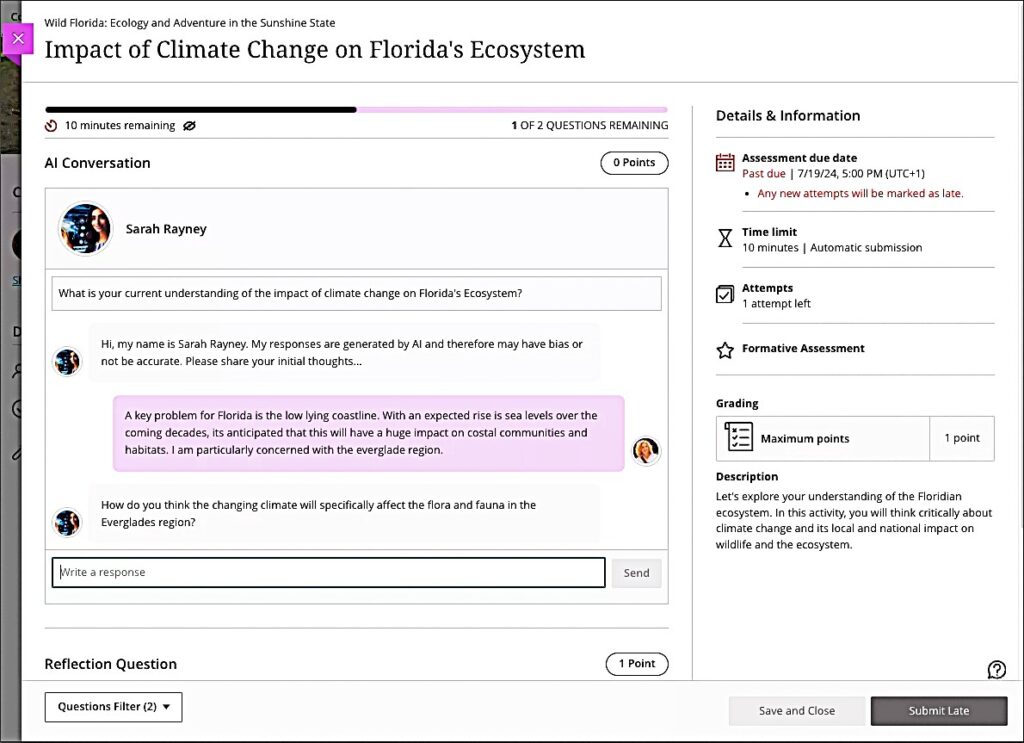
Both GenZ students and non-traditional learners crave relevance in their learning. Authentic and career-ready assessments can increase motivation and engagement while supporting Academic Integrity in the learning environment. Facilitator: Celena Kusch, Executive Director, Academic Innovation & Faculty Support.
12:00 pm to 1:00 pm
Lunch and ACUE Effective Teaching Practices Pinning Ceremony

Share a warming lunch and join the Association of College and University Educators (ACUE) in celebrating the achievements of USC Upstate faculty who have completed the Effective Teaching Practices program in the ACUE Pinning Ceremony. Facilitator: Lillian Reeves, Director of Transformative Pedagogy
1:00 pm to 1:30 pm
Using YuJa Lumina to Caption Videos
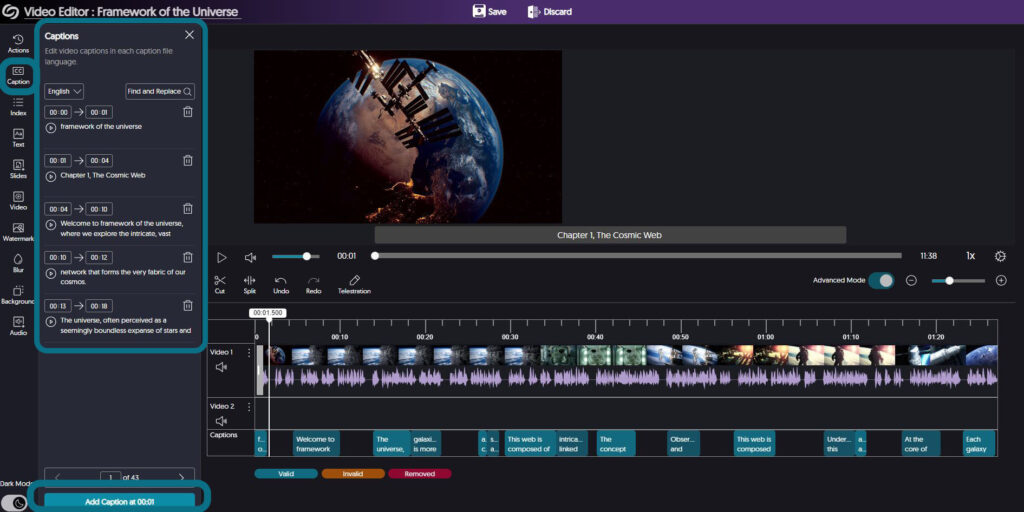
High-quality, human-edited captions and audio descriptions form the bedrock of accessible video use. Learn more about YuJa’s advanced tools for ensuring your video content is accessible to all of your students. Facilitator: Diana Hernandez, YuJa
1:30 pm to 3:30 pm
Go for Green: Using Ally for Accessibility Guided Work Session
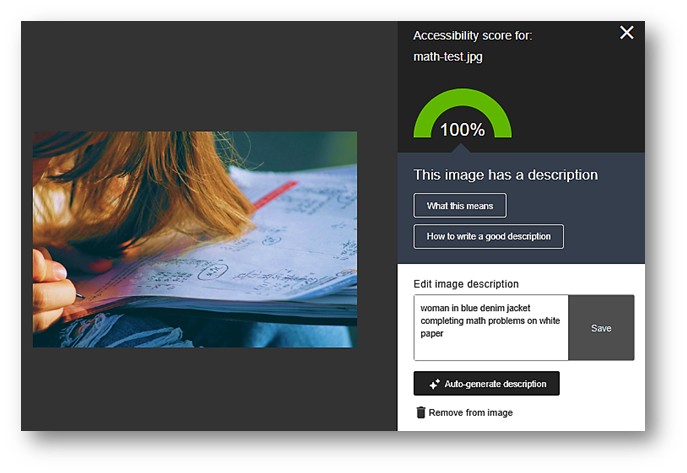
In this hands-on work session, ask your questions, get pointers, and apply the Ally Accessibility tool to make your courses 100% accessible and meet the WCAG 2.1 AA federal accessibility standards for all instructional materials. Go for the Green in your Ally Accessibility Rating. Facilitator: Jennifer Bland, Learning Experience Coordinator